
View production records
Check each piece's result, time taken and all alarms on the workstation.
In short
- Open it with Records › at the top right of "Shift stats" on the home screen. There is no entry in the left sidebar.
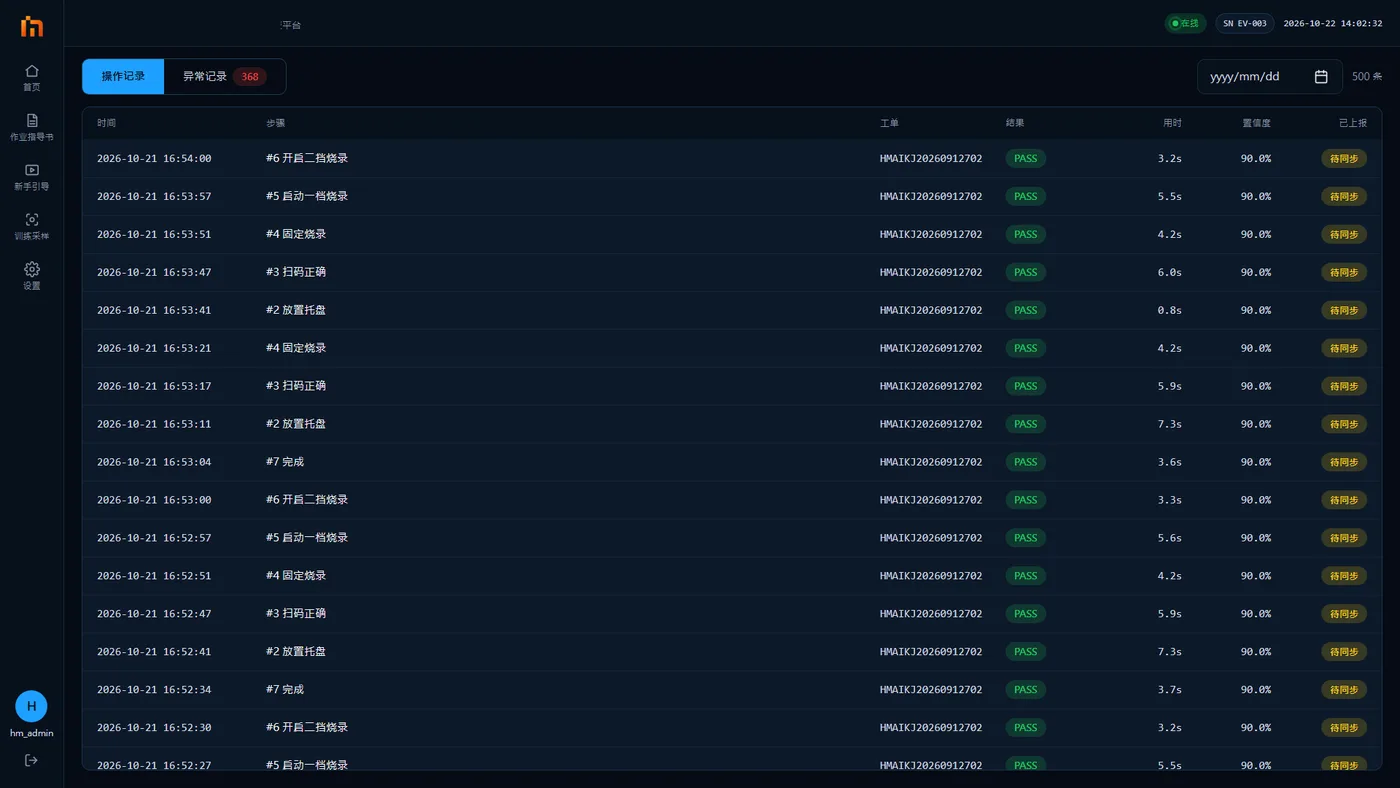
- Operations shows each piece; Abnormals shows all alarms.
How to open
Open it with Records › at the top right of "Shift stats" on the home screen (there is no entry in the left sidebar).
Two tabs
| Tab | What it shows |
|---|---|
| Operations | Each piece's result and time taken. Open a piece to see its "Correction record": which steps were skipped and redone, which were reworked, and wrong parts |
| Abnormals | All alarms. You can filter by date and level, replay the alarm video, and mark it as False alarm afterwards |
If you later find that an alarm was the machine seeing it wrong, open its details in Abnormals and mark it as a false alarm. See Report false alarms and missed detections.