
Practice with the guided mode
New workers practice here along with teaching videos before starting work. Practice is not counted as production and leaves no records.
In short
- Press Guidance on the left, choose an operation, press Start Practice and follow along.
- Practice is not counted as production and leaves no records. When done, press End Practice.
- You cannot practice while producing; press Abort first.
New workers practice here before starting work. Practice is not counted as production and leaves no records.
Steps
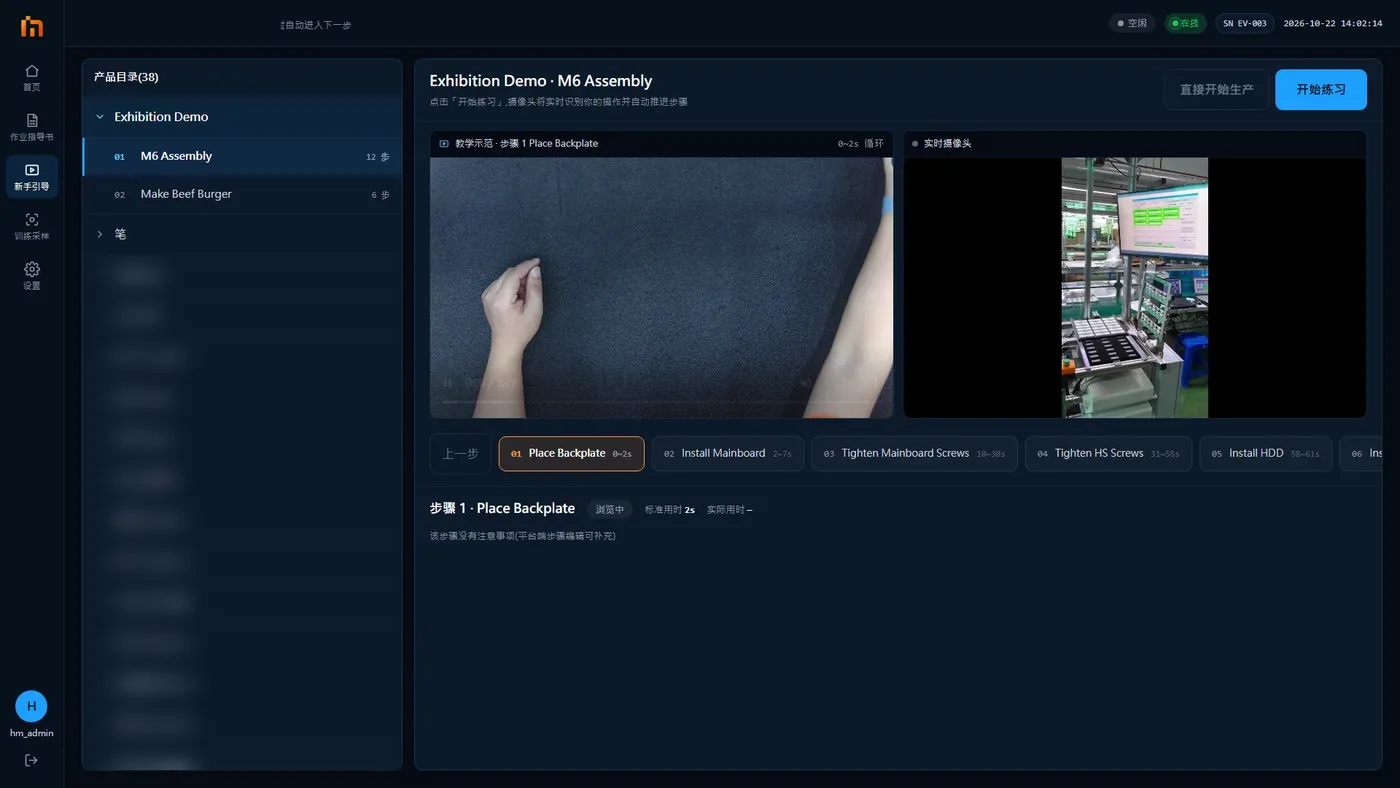
- Press Guidance in the left sidebar and choose the operation to practice.
- The right side loops the teaching video clip for each step, with the step description and notes below it.
- Press Start Practice and follow along. When the camera sees that a step is done right, it moves to the next step automatically. You can also tap a step to switch to it.
- When done, press End Practice.

Notes
- You cannot practice while producing. It says "Production is running. Press 'Abort' on the home screen before starting practice".
- If this operation is already scheduled to your station, you can press Start production right after practice.
- During practice, the alarm dialog has no False alarm button, Missed alarm at the bottom left cannot be pressed, and the material area start/stop button does nothing.