
Report false alarms and missed detections
The machine can get things wrong. An alarm when nothing was wrong is a false alarm; no alarm when something was wrong is a missed detection. Report both and the machine gets more accurate over time.
In short
- You did nothing wrong but it raised an alarm: press False alarm in the alarm dialog.
- You did something wrong but it raised no alarm: within 2 minutes, press Missed alarm at the bottom left, select the part of the video where it went wrong, and submit.
The machine can get things wrong in two ways: an alarm it should not raise (false alarm) and no alarm when it should raise one (missed detection). Report both cases. Technicians use them to retrain, and the machine gets more accurate over time.
False alarm (an alarm it should not raise)
You can report it in two places:
- Press False alarm directly in the alarm dialog. See Read and handle alarms.
- Afterwards, in the alarm details in the alarm list or on the Records page, press False alarm → "Confirm this is a false alarm (the worker did nothing wrong)?…" pops up → press Mark false alarm.
You can do this without the network too. It shows "Queued on this device" and uploads automatically once the network is back.
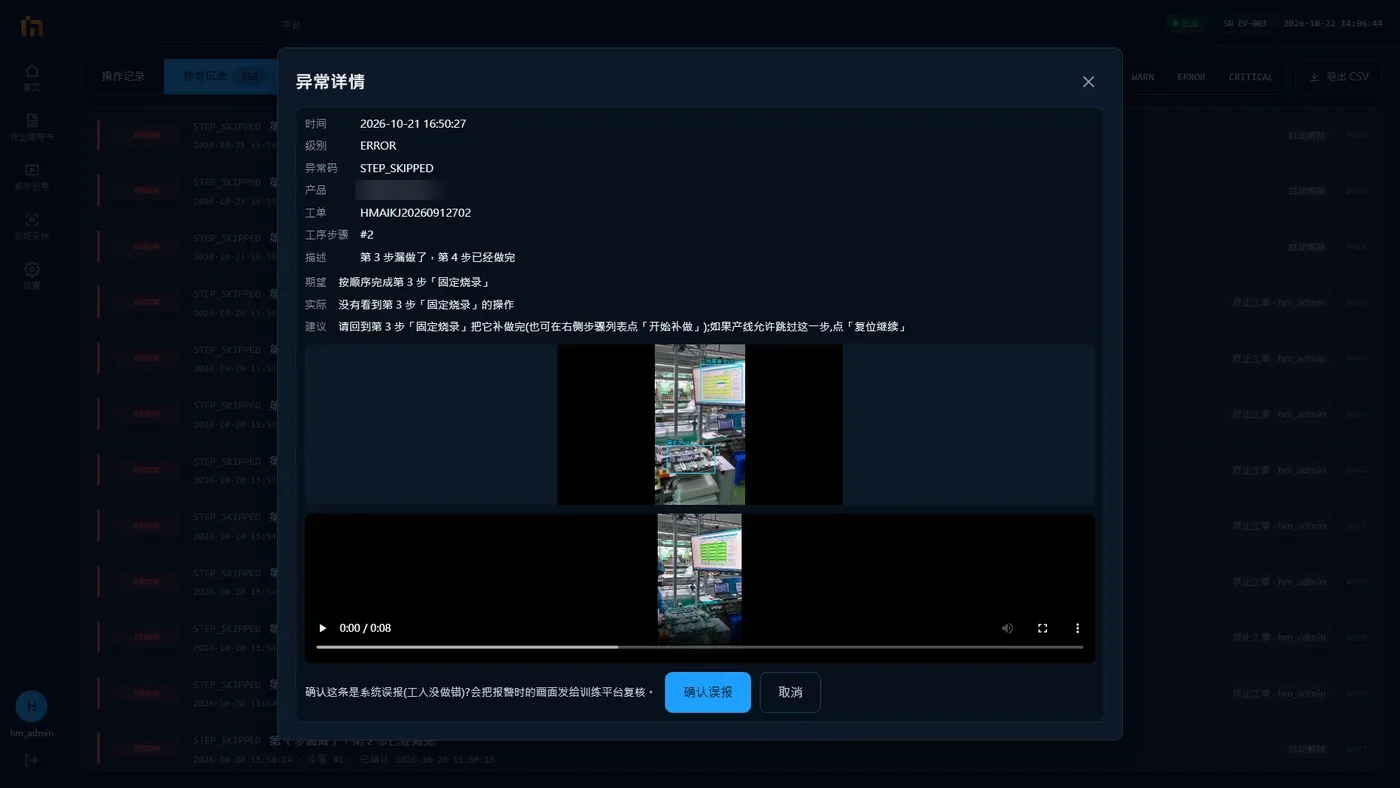
Press "False alarm" only when the machine really saw it wrong
If you made the mistake yourself and press False alarm, you teach the machine the wrong thing. Later it may miss errors it should catch. If the same alarm keeps popping up and you really did it right, press False alarm; if it keeps happening, tell your team leader.
Missed alarm feedback (no alarm when it should raise one)
For example, a part was clearly left out, but the machine raised no alarm:
- Press Missed alarm at the bottom left (not available during practice).
- The machine brings up the last 2 minutes of video. Drag both ends of the time bar to select the part where it went wrong (by default, the last 20 seconds).
- Choose a reason: Missing part, no alarm, Wrong part, no alarm or Other. You can write a few words in "Note (optional)".
- Press Submit this part.
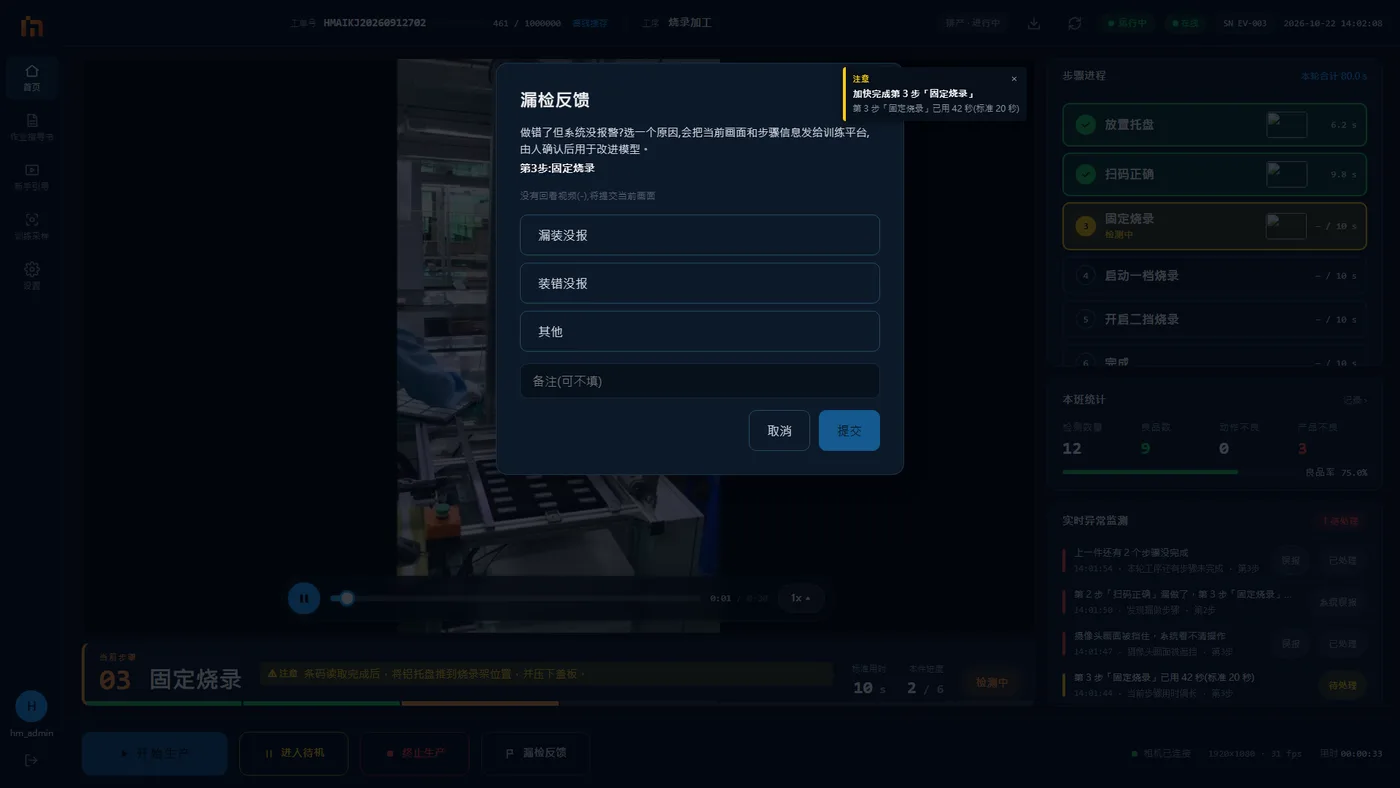
Report a missed detection as soon as you notice it
After 2 minutes, that video is gone.