
Manage global detection classes
Global detection classes are shared across the whole company and are not tied to any operation, for example hard hats, anti-static wrist straps and hands. This page covers where to maintain them and how operations use them.
Open 工艺管理 (Craft) › 全局检测 (Global classes).
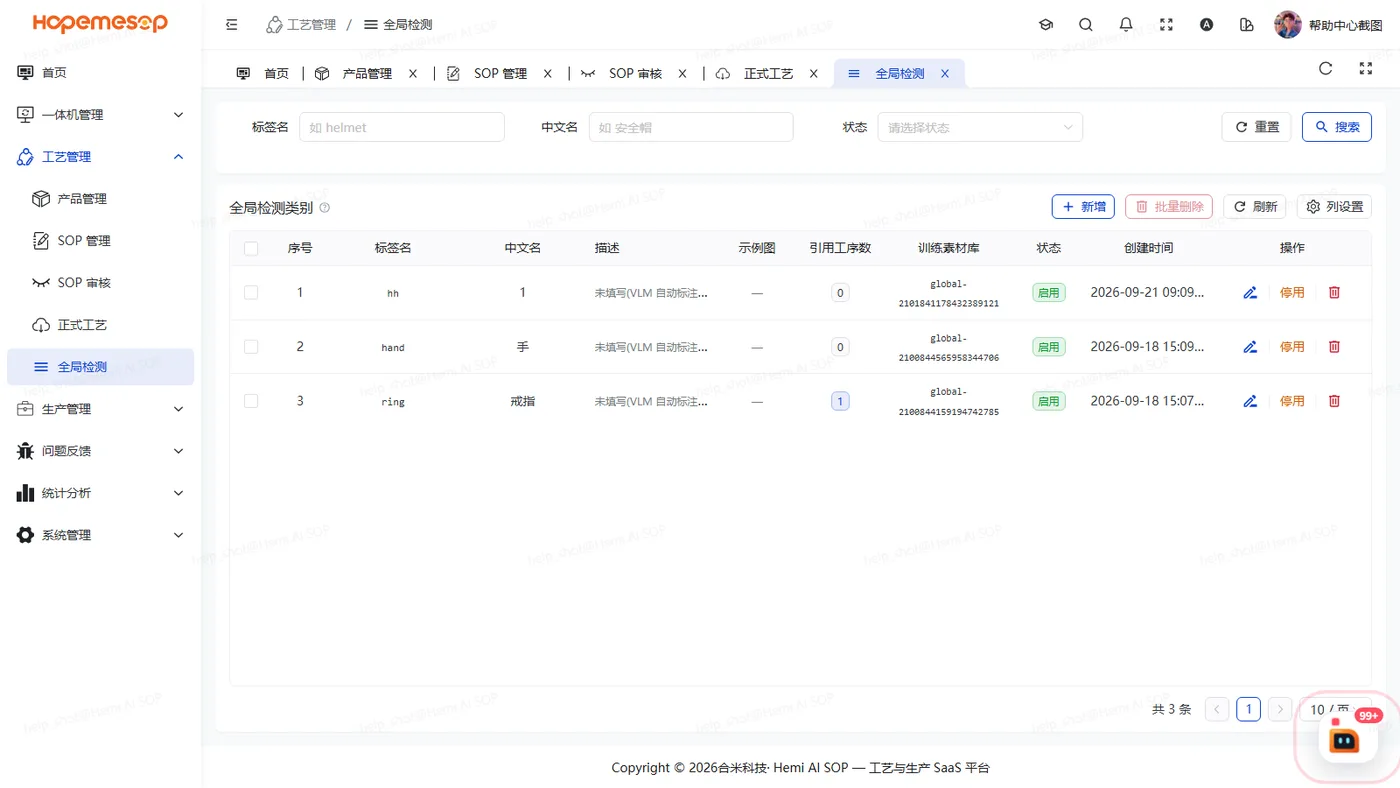
How to use them
- Add and edit global classes here. The column name, the add form and the error messages all use "标签名" (label name). For a duplicate name you see "标签名 [xxx] 已存在" (Label name [xxx] already exists).
- When an operation needs one, check it in that operation's ③ Model & classes tab. See Set up the model and classes.
- The "全局检测" (Global classes) section on the workstation's sampling page reads the same table.
Notes
Changes do not trigger retraining
After you change a global class, submit for training again for it to take effect. See Train and choose a model.