
Maintain lines and stations
When you create a production line, the system creates its stations automatically based on the layout. Then you bind one workstation to each station. This page covers the fields for a new line, how to bind devices, and what happens if you change the line later.
Create a production line
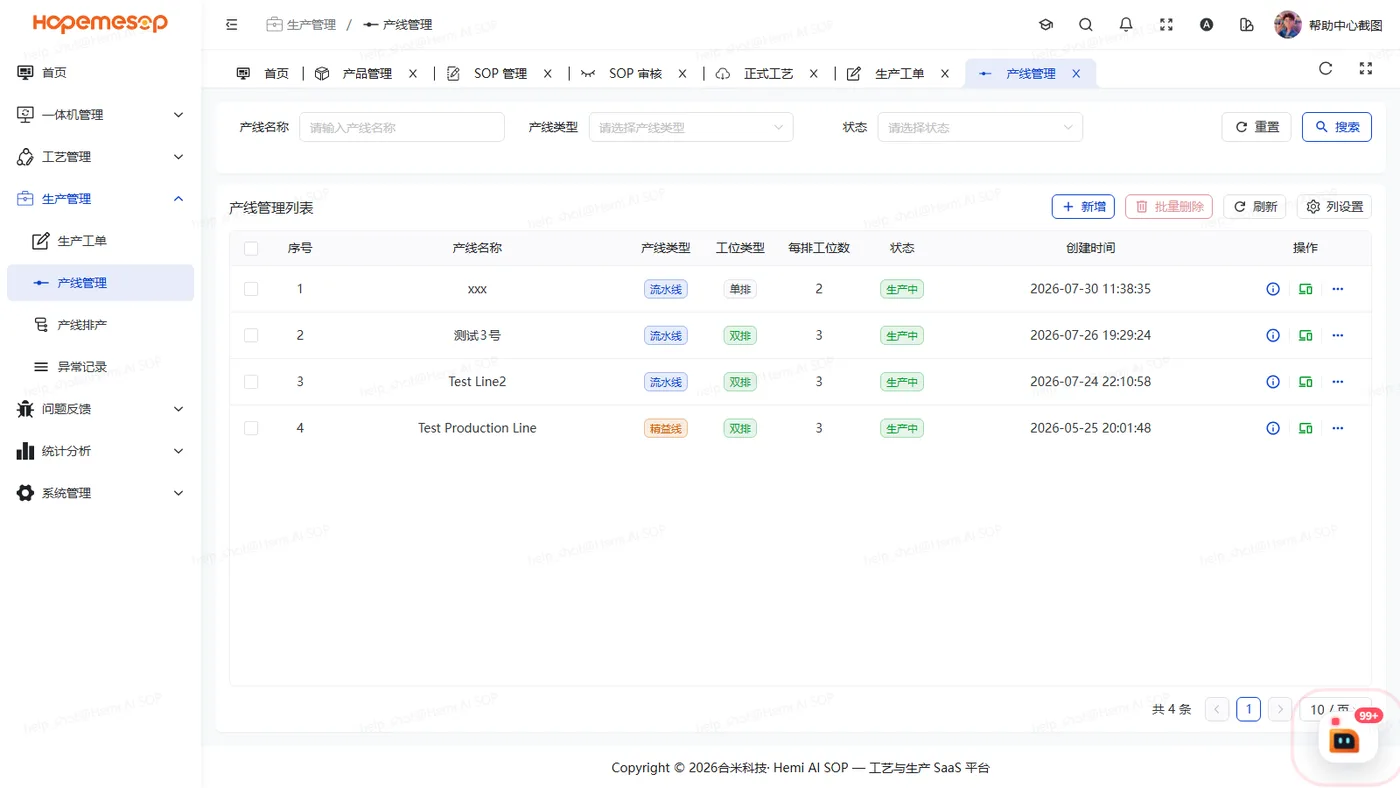
- Open 生产管理 (Production) › 产线管理 (Line management).
- Click 新增 (Insert) and fill in the fields as shown in the table below.
- On the right there is a live preview of the station layout. Take a look before you submit.
| Field | Notes |
|---|---|
| Line name | Up to 20 characters |
| Line type | 流水线 (flow line) / 精益线 (lean line) |
| Station layout | 单排 (single row) / 双排 (double row) |
| Stations per row | 1 to 99, default 5 |
| Top row prefix / bottom row prefix | Default "左" (left) and "右" (right). You can also fill in an English prefix for the workstation's English interface (for example L1, R1) |
| Numbering | 逆序 (reverse) / 增量 (incremental) |
Bind devices to stations
- In the actions column of the line list, click 捆绑设备 (Bind device).
- Click a station.
- Choose a workstation.
"捆绑设备" (Bind device) is in the actions column, not in "详情" (Details)
Details are read-only.
- One device can be bound to only one station.
- The device must belong to the same company as the line.
- A station with no device bound cannot be scheduled. See Schedule production.
Changing the line later
| What you change | What happens |
|---|---|
| Only the name or type | Stations are not affected. Change freely |
| Prefix or numbering | Station codes are updated in place. Schedules and device bindings are kept |
| Stations per row, single/double row | Stations must be rebuilt. If there are schedules, process assignments or bound devices, the system blocks it and lists the links you must remove first |
- A line in production can be neither edited nor deleted.