
Create an SOP process
The complete set of work standards for one product is called an SOP process. This page covers how to add an SOP process, what to fill in each field, and the pin, clone and delete actions in the list.
Before you start
Create the product first. See Create a product.
Steps
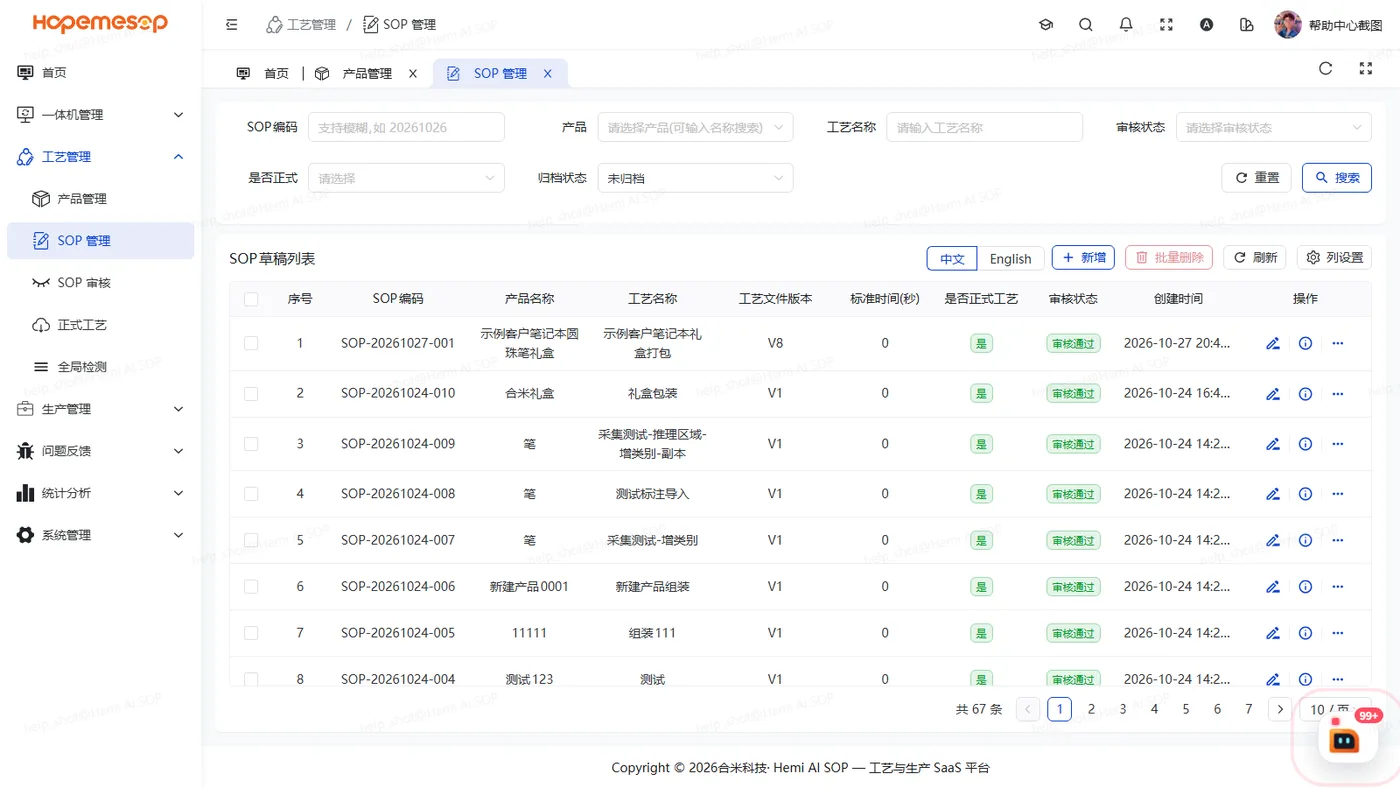
- Open 工艺管理 (Craft) › SOP 管理 (SOP Drafts).
- Click 新增 (Insert), fill in the fields as shown in the table below, and submit.
- In that row of the list, click 编辑 (Edit) to open the editor and set up operations. See Fill in operation basics.
| Field | Notes |
|---|---|
| Product | Choose one you created earlier |
| Process name | Required |
| Document version / document number | Filled in automatically as V1.0 and SOP-<date>-<sequence>. You can change them to fit the customer's document control rules |
| Standard time | Unit: seconds |
| Execution mode | Free / Sequential. Sequential = the steps must be done in order |
| Overall work instructions | One PDF that covers all operations. You can add it later |
Actions in the list
Each row has: 置顶 (Pin to top), 快速查看 (Quick view), 编辑 (Edit), 发起审核 (Start review), 克隆 (Clone), 送训 (Submit for training), 删除 (Remove).
- Pin to top: the pushpin button. Its tooltip says "置顶(只影响你自己的列表)" (Pin to top (affects only your own list)). Pinned SOPs are listed first, with an orange "置顶" (Pinned) tag in front of the process name. Click again to unpin.
- Clone: makes a new SOP (a new, separate set). Often used for similar products.
- Start review: see Submit and review a process.
- Submit for training: see Train and choose a model.
When you can delete
| Process status | Can it be deleted? |
|---|---|
| Not submitted, review rejected | Yes |
| Under review | The delete button is hidden |
| Review approved | Clicking delete shows "已审核通过,不允许删除" (Already approved, cannot be deleted) |
To stop using a released process, click "停用" (Disable)
In the 正式工艺 (Released process) list, click 停用 (Disable). See Manage released processes.