
Run everything with a pipeline
When you do not want to click through each step, use a pipeline to run frame extraction, auto-labeling, training, export and release in order in one go. You tick which steps to run.
Before you start
- You already have footage. If frames have not been extracted or labeled yet, tick those steps in the pipeline.
- If a pipeline is already running, wait for it to finish.
Create a pipeline
- Open the project, click the 流水线 (Pipeline) tab, then click 新建流水线 (New pipeline).
- Choose a common preset, or tick the steps you want to run yourself.
- Check the "将执行:……" (Will run: …) line below to make sure the steps are right, then click 开始 (Start).
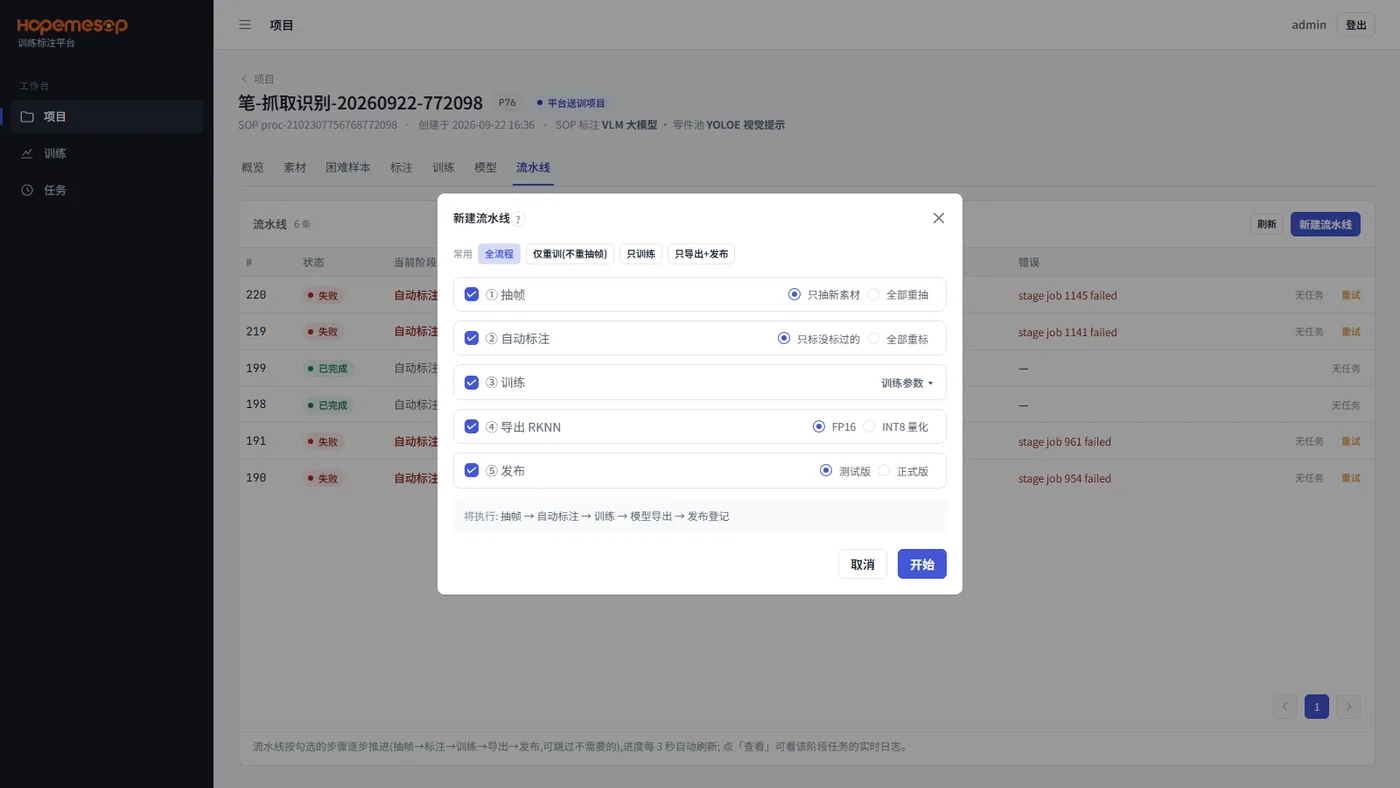
Five steps you can tick freely:
- Extract frames: new footage only / re-extract all
- Auto-labeling: unlabeled frames only / re-label all
- Training: you can expand 训练参数 (Training parameters)
- Export RKNN: FP16 / INT8 quantization
- Release: test version / stable release
Four common presets: 全流程 (Full flow), 仅重训(不重抽帧) (Retrain only (no re-extraction)), 只训练 (Train only), 只导出+发布 (Export + release only).
Preflight check before it runs
Before 开始 (Start) runs, there is a preflight check. Any problems are listed:
| Preflight message | Meaning |
|---|---|
| 已有流水线在跑 (A pipeline is already running) | Wait for the previous one to finish |
| 项目还没有帧,请勾选抽帧 (The project has no frames yet. Please tick frame extraction) | Frame extraction was skipped, but frames have never been extracted |
| 还没有标注,请勾选自动标注 (No labels yet. Please tick auto-labeling) | Labeling was skipped, but nothing has been labeled |
| 还没有训练好的模型,请勾选训练 (No trained model yet. Please tick training) | You want to export and release without training |
| 直接发正式版需要平台的训练发布权限,请改成测试版 (Releasing a stable release directly needs the platform's training release permission. Please change it to a test version) | You do not have release permission |
How to check it has finished
The pipeline list shows each pipeline's status and which step it has reached. Progress refreshes automatically every 3 seconds.
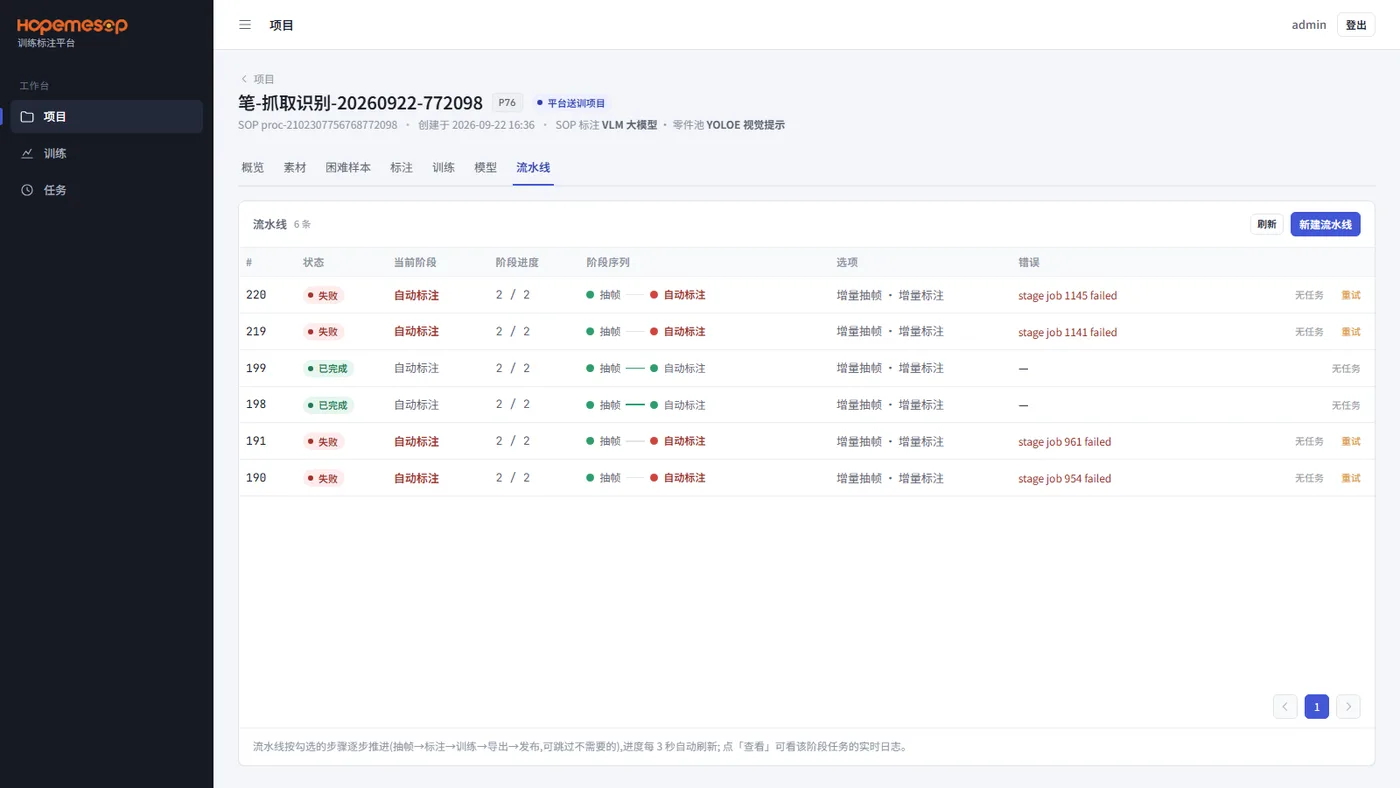
If one fails, click 重试 (Retry). You can choose which step to start again from.
Release a one-click model as a test version first
It is best to have a person review between "自动标注" (Auto-labeling) and "训练" (Training). So for a model from a one-click full flow, release it as a test version to verify. Do not release it directly as a stable release.